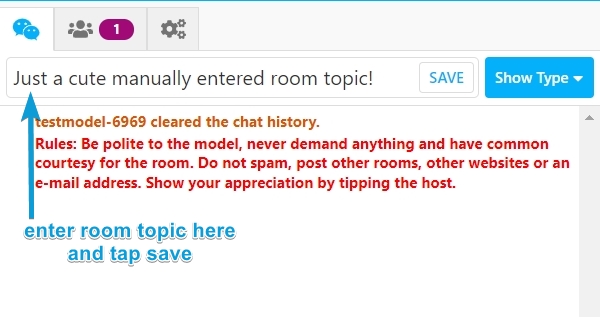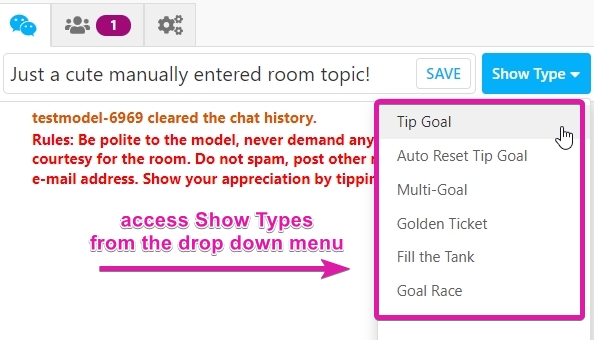
On desktop, type your room topic and/or select a show type above the chat window. Click 'Start Show' to save (note: that will not start your broadcast). On mobile, use the chat bubble icon for the same functions.
Difference between Room Subject and Show Type:
- Show Types (e.g., Tip Goal, Multi-Goal) offer various token-earning methods and audience interaction. Set a token goal and perform actions to achieve it. For more in-depth information about Show Types and setting them up, see this article.
- Room Topics, entered manually, set your show's atmosphere and give members an idea of the performance.
Tip: Add a #hashtag to your topic or show type for targeted traffic.
You can also add games, or add-ons, via the Show Type button. Choose an add-on, edit settings, and click 'Start Show' to apply changes.